
One platform for the entire learning journey.
From the first recorded activity to the finished education report: mentro covers the complete cycle of learning documentation, with honest competency measurement and hosting in Switzerland.
Capture learning in the moment
Scraping together on the weekend what happened all week loses half of it. With mentro, learners capture every activity in seconds in the moment (title, duration, date) and mentro maps it to the matching competencies automatically.
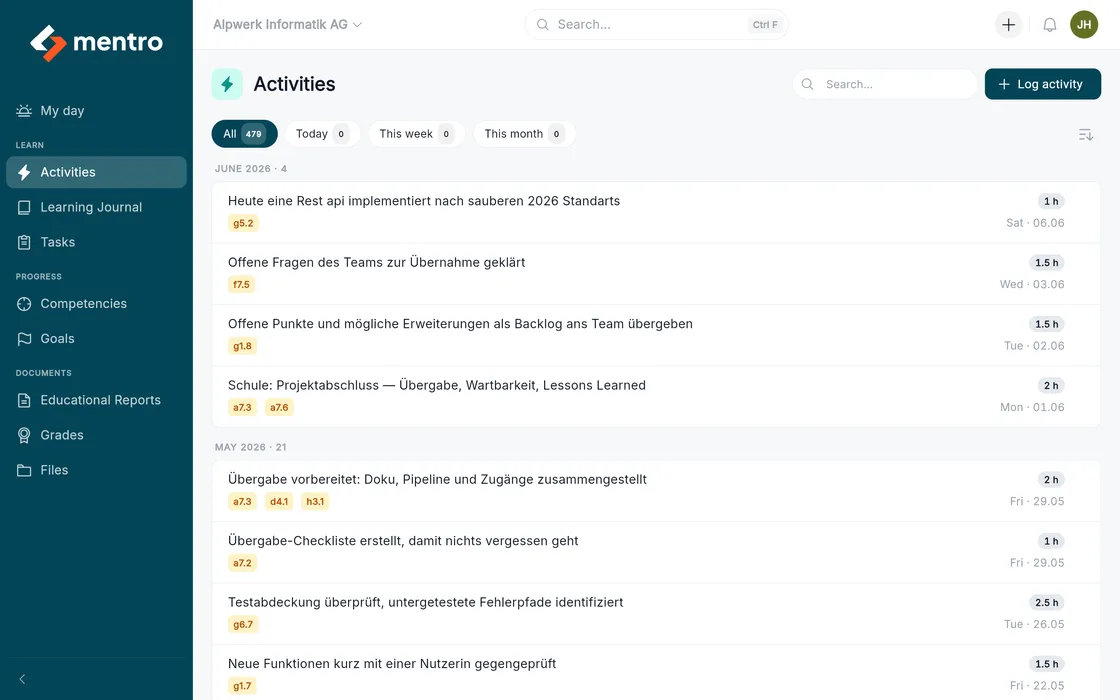
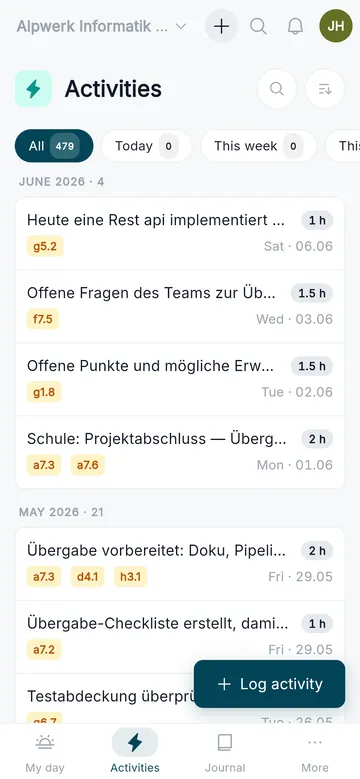
- Free-text title, duration in hours, date
- Edit and delete with soft delete
- Automatic competency mapping on save
- Documented evidence with no extra effort
Reflection that truly helps
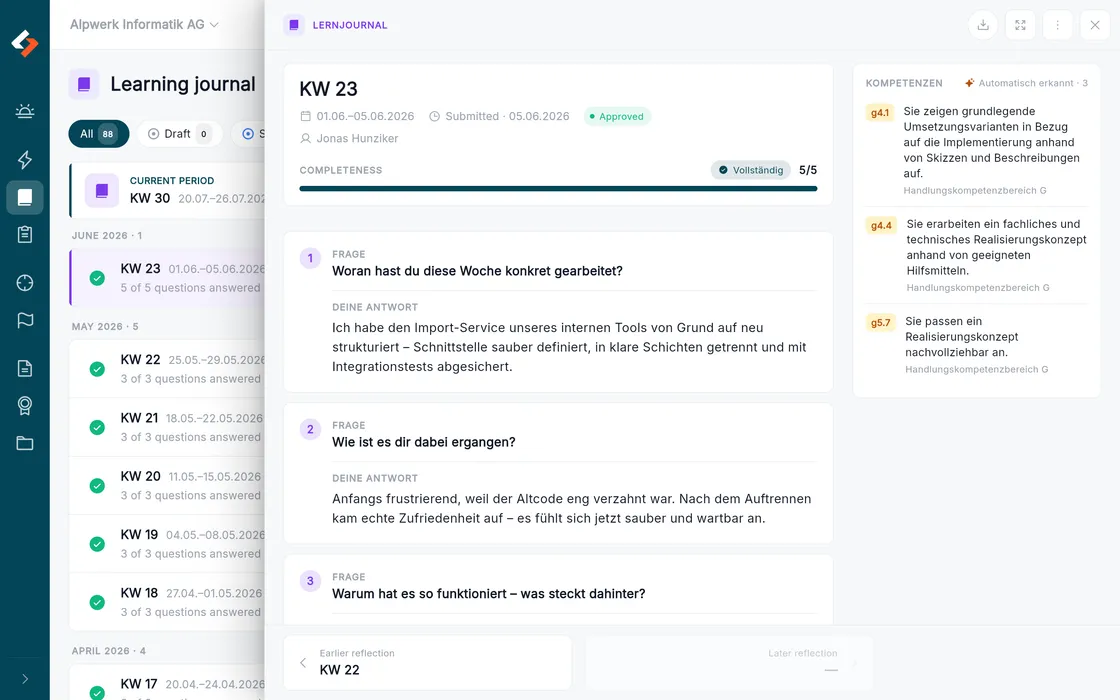
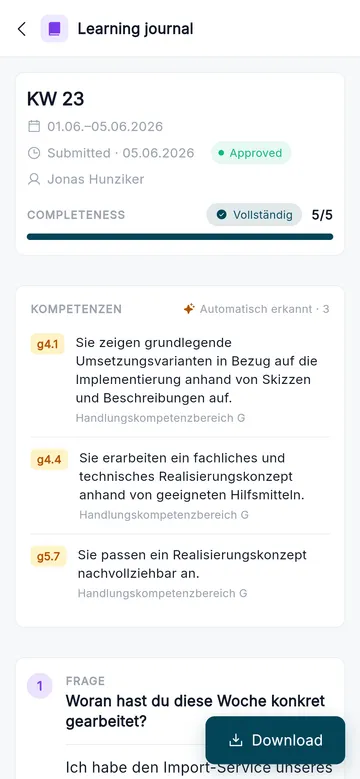
Facing a blank page leads to "it was fine" instead of real reflection. mentro guides learners through their reflection with targeted questions, step by step, weekly, biweekly or monthly. Trainers review the entries and give feedback.
- A guided flow instead of a blank page
- Periods configurable per organisation
- Status: draft, submitted, in review, approved
- Review with feedback and competency mapping
Chosen to fit, by AI
Each period the AI picks one fitting question per stage from 80+. Five questions that build on each other, matched to training year and competency. Reflection stays fresh instead of turning into routine.
Mapping without extra effort
Subject-related answers are automatically mapped to matching competencies. Before the AI analysis, names and sensitive details are pseudonymised.
From the pilot onwards, guided reflection will be studied scientifically, together with PH Luzern and its vocational education department.
Swiss curricula, built in
Scrambling for evidence before the appraisal meeting and still not knowing where someone really stands. mentro maps the curricula (training ordinances) and gathers evidence automatically from activities, journals and observations. This builds an honest competency picture per area of competence. A pedagogical situational picture, not a grade: depth (how densely a performance objective is evidenced) and breadth (how many performance objectives are evidenced), weighted by source. Separately from that, a competency only counts as achieved once several independent records come together, including at least one assessment by a qualified person. Strengths and gaps become visible early, exactly where support can start.
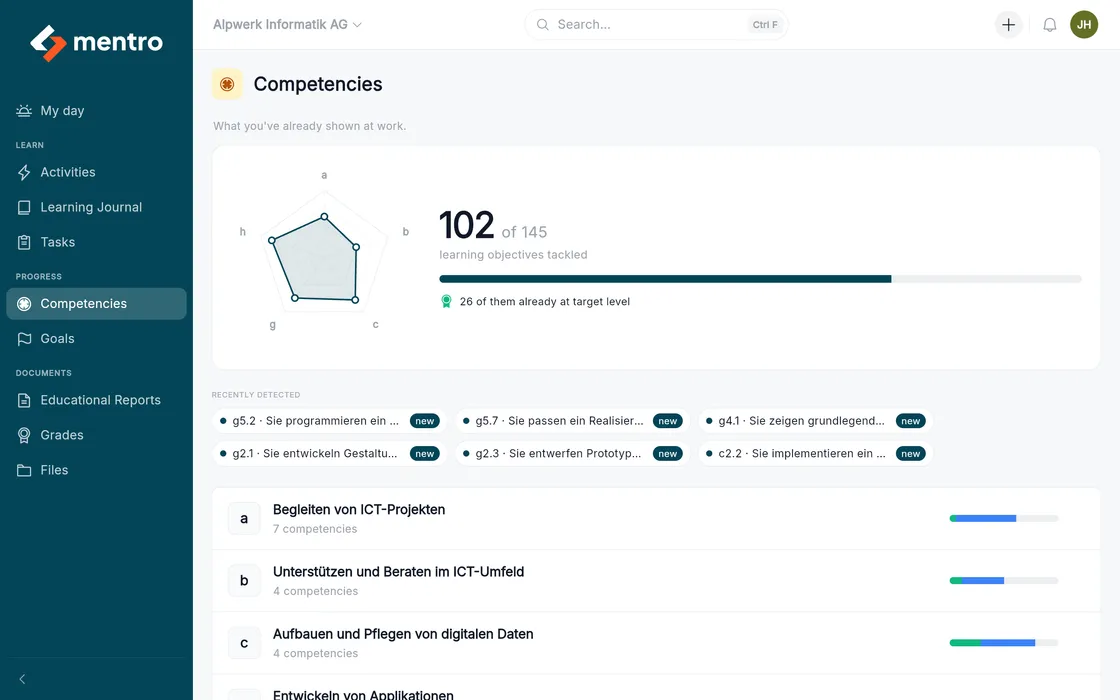
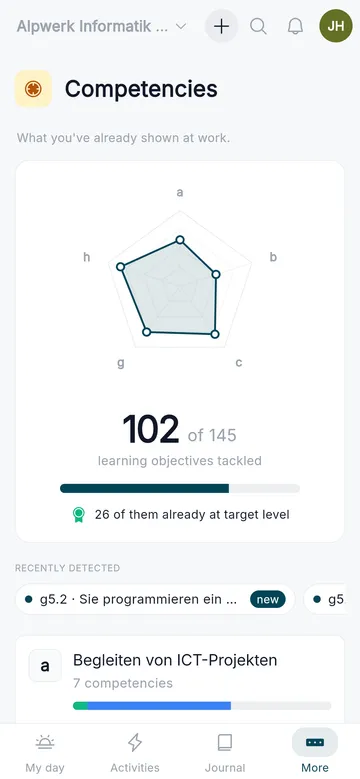
- Hierarchy: area, competency, performance objective
- Computer Science VET (AD and PD) and Media Engineering VET available
- Taxonomy levels K1 to K6
- Weighted evidence: observations and reviews count more than self-reports
Set and track goals
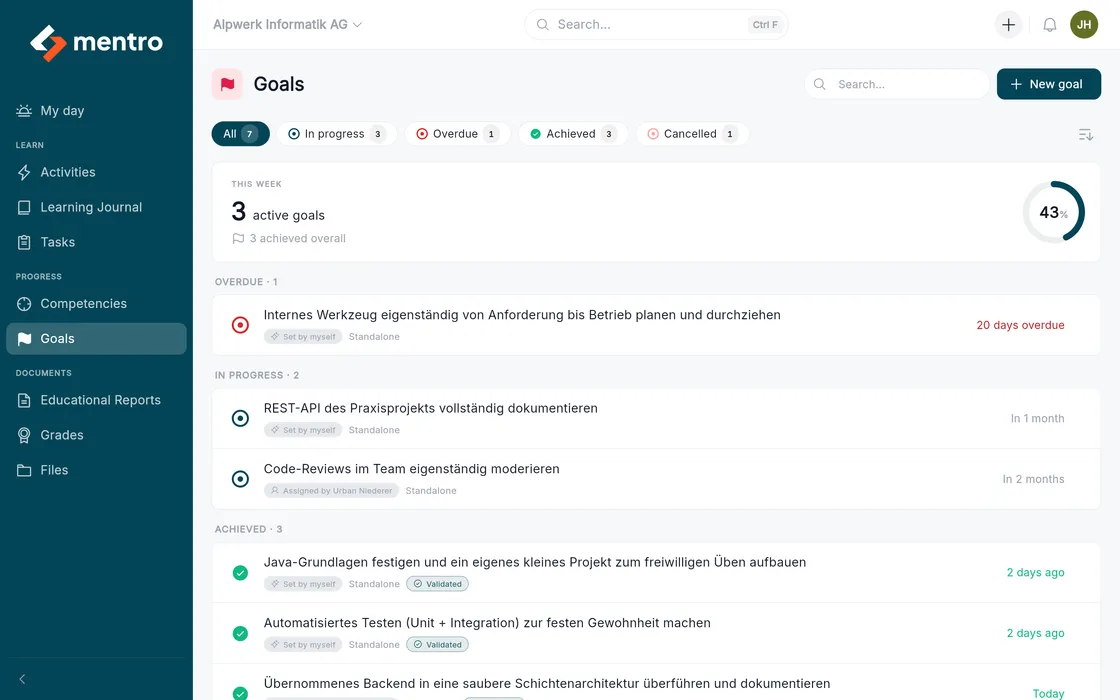
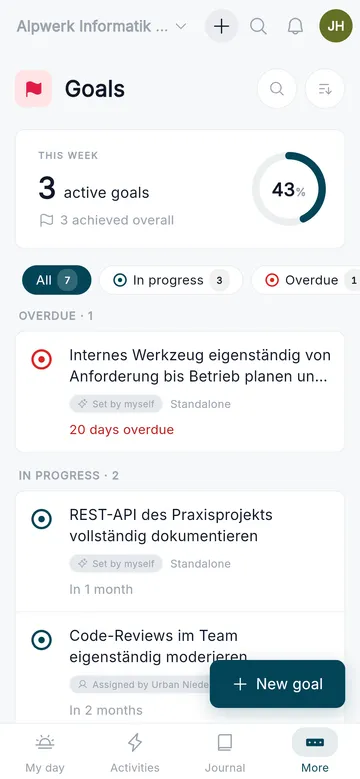
Learners set concrete goals and link them to competencies, journals or activities. This turns reflection into real development.
- Create, edit and complete goals
- Status tracking over time
- Context from journal and competency
- Visible to learners and trainer
Evidence for the appraisal meeting
Every semester the education report gets reconstructed from memory under time pressure. mentro walks you through the official form step by step: professional, methodological, social and personal competence, learning documentation, vocational school and inter-company courses, goal review and goals for the next semester. The learner submits their self-assessment beforehand and you see it while filling in. mentro supplies the evidence from activities, journals and competencies; the wording stays yours.
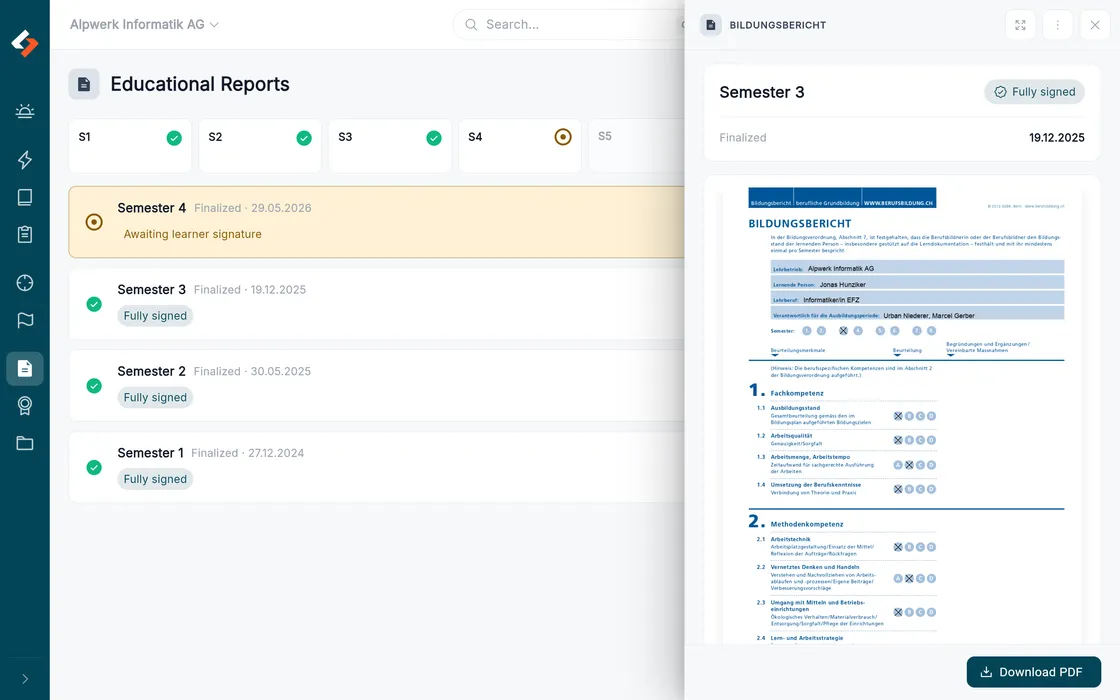
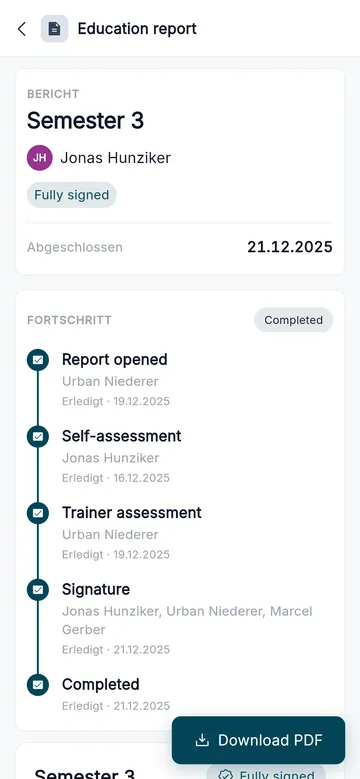
- Step by step through every section of the official form
- The learner’s self-assessment visible while you fill in
- Documented evidence from activities, journals and competencies
- Your observations per section of the form
- Electronically signed by company and learner (for minors, parents confirm as well)
- Export for meetings and filing
Who supervises whom, at a glance
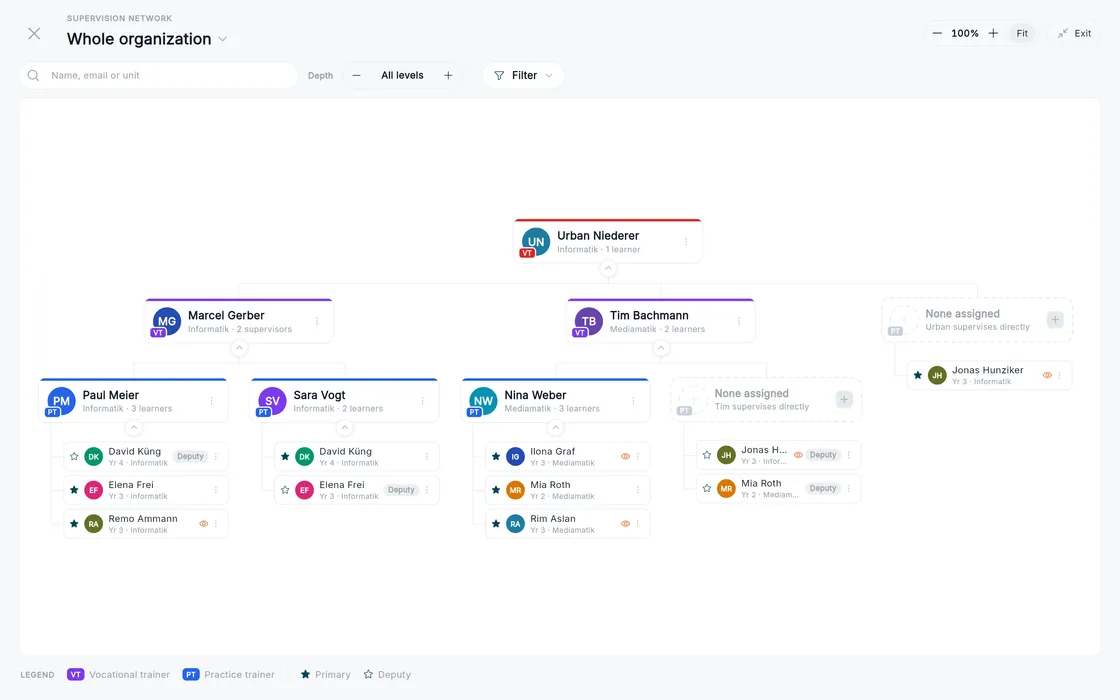
As soon as a company has more than a handful of learners, nobody quite knows who is responsible for whom. With deputies, handovers or absences it turns into guesswork. mentro draws a supervision network from it: vocational trainers, practice instructors and learners as an org chart you can search, focus on one person and zoom. Alongside it, locations, departments and teams map the structure, while roles and invitations govern who sees what.
- Supervision network as an interactive org chart
- Vocational trainer, practice instructor and learners in one view
- Primary supervision and deputies both visible
- Search, focus, zoom; future and past supervisions too
- Org units: location, department, team, with roles and invitations
The whole apprenticeship on one timeline
Apprenticeship years and semesters follow from the start date and the duration, with nobody having to maintain them. On top of that you set who supervises when, which competencies are in focus each semester, and when goals, tasks and education reports fall due. Instead of a list of dates, a path across the whole apprenticeship appears that everyone can see.
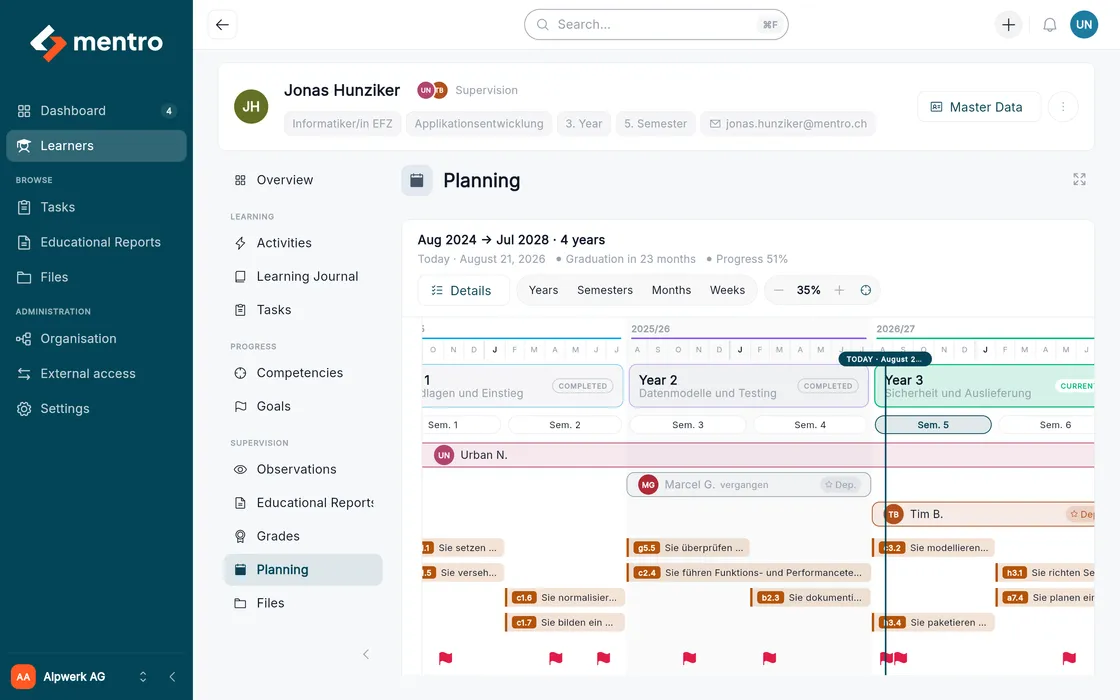
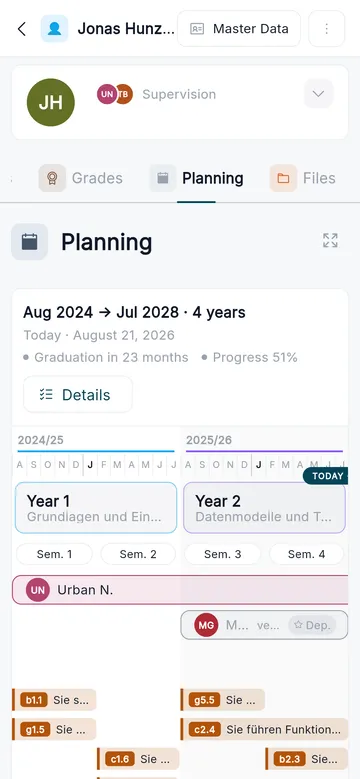
- Years and semesters derived automatically from the master data
- Focus competencies per semester from the training plan
- Supervision periods with deputies and a note
- Goals, tasks and report dates on the same axis
- Movable right in the timeline, on a computer
What else is part of it
Six areas that run alongside daily work without needing a stage of their own.
My Day
The starting point for learners and trainers: open tasks, journals due and what is up today.
Tasks
Assign, work on and grade practical tasks. The grade carries the most weight in the competency picture.
Observations
Trainers record what they see day to day, right on the matching competency.
Grades
School grades complement the picture from the company and feed into the education report.
Files
Evidence, photos and documents sit where they belong: with the activity or the report.
Timeline
The timeline shows without gaps what was documented and assessed, and when.

mentro as an app
The same platform as an app, for everyone who is out and about in the company. Capture an activity right after the work, write a journal entry on the train, get feedback as a notification.
- Capture activities and journals where the work happens
- Notifications for feedback and due entries, optional and switchable
- The full feature set, the same data as in the browser
Access comes through your training company: the app needs an existing mentro account, self-service sign-up follows later. In the browser mentro still runs on any device.
Data you can trust
We stay concrete: everything runs in Switzerland, transmission is encrypted, and every company sees only its own data.
Hosting in Switzerland
Servers (compute) at cloudscale.ch, database at peaknetworks, AI at Infomaniak. All three are Swiss providers.
ISO 27001 certified
cloudscale.ch, the data centre hosting our database and Infomaniak are ISO 27001 certified. ISO 27001 is the international standard for information security.
Encrypted in transit
Everything between device and server is encrypted (TLS), the same way online banking works.
Companies strictly separated
Every company sees only its own data. The database itself enforces the separation (row-level security), not just the application.
Ready to swap bureaucracy for clarity?
Request your own test environment: a fictional company with learners, journals and education reports. The links for the three roles arrive by email within a few minutes. No account, no password, and everything is deleted after 30 days.