
Learning documentation, Mediamatics Technician VET
What belongs in the learning documentation and what the training ordinance requires. We also show how you record your work during the semester.
As a learner in the Mediamatics Technician VET occupation you keep a learning documentation throughout your apprenticeship. It records what you worked on in the company and what you learned doing it. Your vocational trainer reviews it regularly, signs it and discusses it with you.
If you only write your entries at the end of the semester, you have to remember many weeks of work. If you record them as you go, the details are still fresh.
What the training ordinance requires
The obligation is not written into the federal act on vocational and professional education and training, nor into the corresponding federal ordinance. It is set out in the training ordinance of each individual occupation. For the Mediamatics Technician VET occupation, Article 12 states that the learner keeps a learning documentation during the practical training and records all essential work relating to the operational competences to be acquired as it happens. At least once per semester the vocational trainer checks and signs the documentation and discusses it with the learner.
Record your work as you go and show how it relates to the operational competences. For other occupations, check the training ordinance of that occupation.
Sources: SERI ordinance of 25 October 2018, SR 412.101.221.50, Art. 12
What belongs in the learning documentation
Activities
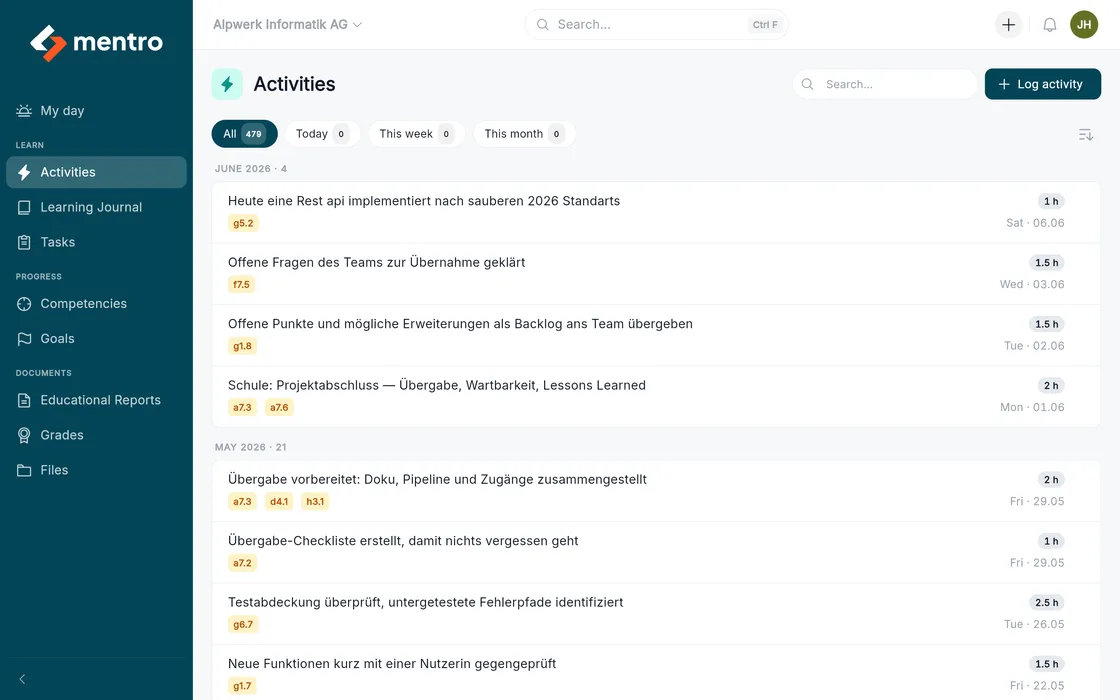
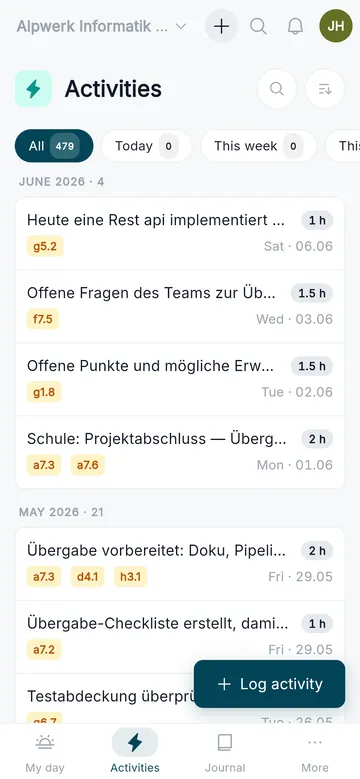
What you worked on, with title, duration and date. Captured on your phone right after the work.
Learning journals
The reflection on it: what went well, what was difficult and what you will do differently next time.
Link to the curriculum
Every entry is mapped to the operational competences and performance objectives of your curriculum, automatically on saving.
Evidence
Files and results are filed with the activity they belong to. That keeps them findable, even a year later.
Captured right after the work
For an activity you type in the title, duration and date. On saving, mentro maps the text to the matching operational competences, so you never search through a list.
- Title, duration in hours and date, nothing more
- Automatic competency mapping on saving
- Inter-company courses and vocational school can be captured too
- In the browser on phone, tablet and computer
Your curriculum is already mapped
mentro holds the curricula with areas of competence, operational competences and performance objectives, each with its taxonomy level K1 to K6. mentro maps your entries to the matching operational competences and performance objectives.
- Information Technologist VET, Application Development
- Information Technologist VET, Platform Development
- Mediamatics Technician VET
- Digital Business Developer VET
The «Occupations» page lists which training plans are available and in which version, with a change log.
From the activity to the education report
The learning documentation is not an end in itself. It is the basis for the appraisal meeting and the education report at the end of the semester.
Capture
You record activities and learning journals while the work is still fresh.
Map
mentro links every entry to the matching operational competences of your curriculum.
Reflect
The questions build on each other. They help you describe more precisely what you learned and what you would do differently next time.
Assess
At the end of the semester the education report sits on the official SDBB form, with the evidence ready.
Common questions about the learning documentation
Read on
Record your work as you go
Request a test environment and see how the documentation grows day by day. The links arrive by email within a few minutes.